🔥 UPTO 79% OFF ON TECH! ⚡ FLASH SALE IS LIVE! 🎉 Use Coupon Code: G3ZYGFHT ⏳ LIMITED TIME: UPTO 79% OFF! 🚚 FREE SHIPPING ON SELECTED PRODUCTS! 🔥 UPTO 79% OFF ON TECH! ⚡ FLASH SALE IS LIVE! 🎉 Use Coupon Code: G3ZYGFHT ⏳ LIMITED TIME: UPTO 79% OFF! 🚚 FREE SHIPPING ON SELECTED PRODUCTS! 🔥 UPTO 79% OFF ON TECH! ⚡ FLASH SALE IS LIVE! 🎉 Use Coupon Code: G3ZYGFHT ⏳ LIMITED TIME: UPTO 79% OFF! 🚚 FREE SHIPPING ON SELECTED PRODUCTS! 🔥 UPTO 79% OFF ON TECH! ⚡ FLASH SALE IS LIVE! 🎉 Use Coupon Code: G3ZYGFHT ⏳ LIMITED TIME: UPTO 79% OFF! 🚚 FREE SHIPPING ON SELECTED PRODUCTS! 🔥 UPTO 79% OFF ON TECH! ⚡ FLASH SALE IS LIVE! 🎉 Use Coupon Code: G3ZYGFHT ⏳ LIMITED TIME: UPTO 79% OFF! 🚚 FREE SHIPPING ON SELECTED PRODUCTS! 🔥 UPTO 79% OFF ON TECH! ⚡ FLASH SALE IS LIVE! 🎉 Use Coupon Code: G3ZYGFHT ⏳ LIMITED TIME: UPTO 79% OFF! 🚚 FREE SHIPPING ON SELECTED PRODUCTS! 🔥 UPTO 79% OFF ON TECH! ⚡ FLASH SALE IS LIVE! 🎉 Use Coupon Code: G3ZYGFHT ⏳ LIMITED TIME: UPTO 79% OFF! 🚚 FREE SHIPPING ON SELECTED PRODUCTS! 🔥 UPTO 79% OFF ON TECH! ⚡ FLASH SALE IS LIVE! 🎉 Use Coupon Code: G3ZYGFHT ⏳ LIMITED TIME: UPTO 79% OFF! 🚚 FREE SHIPPING ON SELECTED PRODUCTS!

Customer Service

+92 331 0000203

Welcome

Sign in / Register

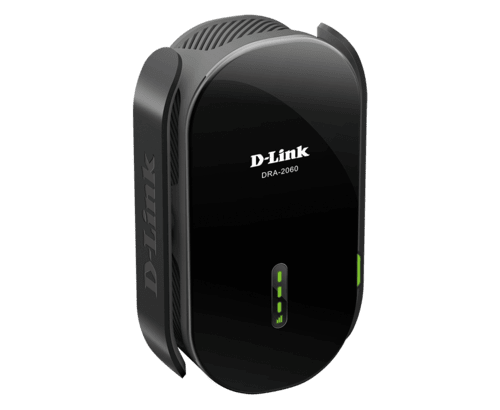
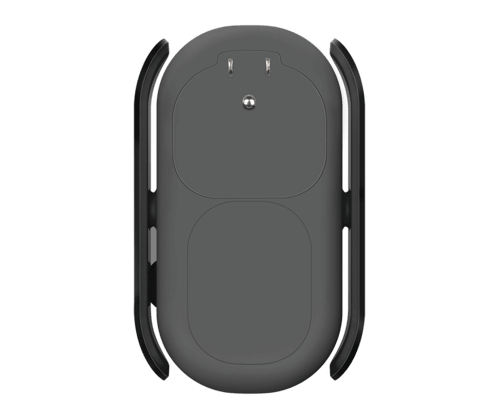
D-Link DRA-2060 AC2000 Mesh Range Extender | Techstore

Special Offer

Original price was: ₨ 8,500.Current price is: ₨ 7,000.-18%

Original price was: ₨ 8,500.Current price is: ₨ 7,000.-18%

Key Specifications

SpeedAC2000 (2000Mbps)
BandsDual-band (2.4GHz and 5GHz)
Mesh SupportYes
AntennasHigh-gain for extended coverage
SetupOne-touch with WPS
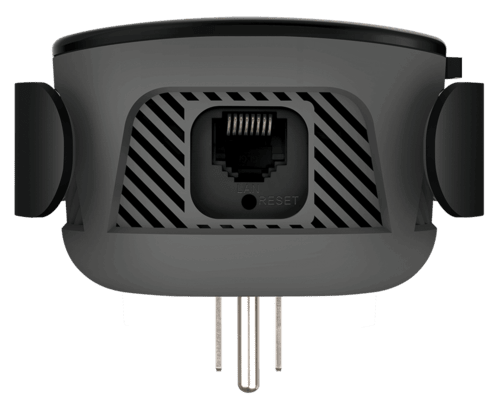
PortsGigabit Ethernet
Signal IndicatorSmart LED
MU-MIMOYes
Mobile AppEasy setup and management
30-Day Money-Back Guarantee
Tested Before DispatchEvery product is tested before shipping.
4.9/5 on Google300+ reviews

Condition: Pre-Owned

Warranty & Returns

30-day money-back guarantee.

3-month replacement warranty from the purchase date.

View applicable terms & return policy
Delivery & Shipping

Estimated delivery: 24–48 working hours.

Shipping charges: Calculated based on the product’s weight and dimensions.

Package Contents

Product, adapter & box.

View full warranty policy

Quantity

Out of stock

Product Description

The D-Link DRA-2060 AC2000 Mesh Range Extender is a powerful solution to eliminate Wi-Fi dead zones and provide seamless, high-speed wireless connectivity throughout your home or office. With its advanced technology and simple setup, it’s an ideal addition to your network to ensure smooth internet access in every corner.

Key Features:

  1. AC2000 Speed: Delivers combined speeds of up to 2000Mbps, utilizing both the 2.4GHz and 5GHz frequency bands for fast internet access and smooth streaming.
  2. Mesh Technology: Supports mesh networking, allowing multiple extenders to work together to create a seamless, unified Wi-Fi network with a single SSID.
  3. Dual-Band Wi-Fi: Provides support for both the 2.4GHz and 5GHz bands, minimizing interference and maximizing performance.
  4. High-Gain Antennas: Equipped with high-gain antennas for extended Wi-Fi coverage and improved signal strength. (D-Link DRA-2060)
  5. One-Touch Setup: Simplified installation using WPS (Wi-Fi Protected Setup) for quick and secure pairing with your router.
  6. Gigabit Ethernet Ports: Includes one or more Gigabit Ethernet ports for wired device connections, offering fast and reliable connections for devices like gaming consoles or smart TVs.
  7. Smart Signal Indicator: Features LED indicators to help you find the optimal location for the best signal strength and performance.
  8. MU-MIMO Technology: Supports MU-MIMO for simultaneous data transmission to multiple devices, enhancing network efficiency.
  9. Easy App Setup: Configurable via a mobile app, which provides a user-friendly interface for installation, management, and monitoring.
  10. Beamforming Technology: Utilizes beamforming to focus and direct the Wi-Fi signal towards connected devices, improving coverage and performance.
  11. Security Features: Supports WPA3 encryption and other security protocols to protect your network from unauthorized access.
  12. Guest Network Support: Allows you to create a separate guest network, keeping your primary network secure. (D-Link DRA-2060)

How to Setup this D-link dra-2060 Extender:

Here is the complete information about how to set up d-link dra-2060 wifi extender but if you face any defficulty regarding setup You can watch our youtube video about this.

  1. Connect to the d link Extender:
    • Plug in the d-link DRA-2060 extender and wait for it to power up.
    • Use a computer or a mobile device to connect to the Wi-Fi network named “Dlink-Extender.”
  2. Access the Extender’s Web Interface:
    • Open a web browser (such as Chrome, Firefox, or Edge).
    • Enter http://dlinkap.local or http://192.168.0.50 in the address bar and press Enter.
  3. Login:
    • Enter the default login credentials. The default username is usually admin, and the password is either blank or “admin” (check your device manual).

Configure the Extender:

  1. Wizard Setup:
    • Most extenders have a setup wizard that guides you through the process.
    • Look for a setup or wizard option in the web interface and follow the on-screen instructions.
    • Choose your existing Wi-Fi network and enter the password when prompted.
  2. Manual Setup:
    • If the wizard is not available or if you prefer manual setup, navigate to the appropriate section in the web interface.
    • Look for the “Wireless Settings” or “Setup” section.
  3. Configure Wireless Settings:
    • Choose your existing Wi-Fi network (SSID) from the list.
    • Enter the Wi-Fi password for your main router.
  4. Apply Settings:
    • Save your changes and wait for the extender to reboot.
  5. Placement:
    • Position the extender in a location where it can still receive a strong Wi-Fi signal from your router but extends coverage to the desired area.
  6. Connect Devices:
    • Reconnect your devices to the extended Wi-Fi network.

Troubleshooting:

  1. Reset if Necessary:
    • If you encounter issues, you may need to reset the extender to factory settings and set it up again.
  2. Firmware Update:
    • Check for firmware updates on the D-Link website. If available, update the firmware to ensure optimal performance.
Product Specifications

D-Link DRA-2060 AC2000

  • Speed: AC2000 (2000Mbps)
  • Bands: Dual-band (2.4GHz and 5GHz)
  • Mesh Support: Yes
  • Antennas: High-gain for extended coverage
  • Setup: One-touch with WPS
  • Ports: Gigabit Ethernet
  • Signal Indicator: Smart LED
  • MU-MIMO: Yes
  • Mobile App: Easy setup and management

Product Video

Reviews

Description

The D-Link DRA-2060 AC2000 Mesh Range Extender is a powerful solution to eliminate Wi-Fi dead zones and provide seamless, high-speed wireless connectivity throughout your home or office. With its advanced technology and simple setup, it’s an ideal addition to your network to ensure smooth internet access in every corner.

Key Features:

  1. AC2000 Speed: Delivers combined speeds of up to 2000Mbps, utilizing both the 2.4GHz and 5GHz frequency bands for fast internet access and smooth streaming.
  2. Mesh Technology: Supports mesh networking, allowing multiple extenders to work together to create a seamless, unified Wi-Fi network with a single SSID.
  3. Dual-Band Wi-Fi: Provides support for both the 2.4GHz and 5GHz bands, minimizing interference and maximizing performance.
  4. High-Gain Antennas: Equipped with high-gain antennas for extended Wi-Fi coverage and improved signal strength. (D-Link DRA-2060)
  5. One-Touch Setup: Simplified installation using WPS (Wi-Fi Protected Setup) for quick and secure pairing with your router.
  6. Gigabit Ethernet Ports: Includes one or more Gigabit Ethernet ports for wired device connections, offering fast and reliable connections for devices like gaming consoles or smart TVs.
  7. Smart Signal Indicator: Features LED indicators to help you find the optimal location for the best signal strength and performance.
  8. MU-MIMO Technology: Supports MU-MIMO for simultaneous data transmission to multiple devices, enhancing network efficiency.
  9. Easy App Setup: Configurable via a mobile app, which provides a user-friendly interface for installation, management, and monitoring.
  10. Beamforming Technology: Utilizes beamforming to focus and direct the Wi-Fi signal towards connected devices, improving coverage and performance.
  11. Security Features: Supports WPA3 encryption and other security protocols to protect your network from unauthorized access.
  12. Guest Network Support: Allows you to create a separate guest network, keeping your primary network secure. (D-Link DRA-2060)

How to Setup this D-link dra-2060 Extender:

Here is the complete information about how to set up d-link dra-2060 wifi extender but if you face any defficulty regarding setup You can watch our youtube video about this.

  1. Connect to the d link Extender:
    • Plug in the d-link DRA-2060 extender and wait for it to power up.
    • Use a computer or a mobile device to connect to the Wi-Fi network named “Dlink-Extender.”
  2. Access the Extender’s Web Interface:
    • Open a web browser (such as Chrome, Firefox, or Edge).
    • Enter http://dlinkap.local or http://192.168.0.50 in the address bar and press Enter.
  3. Login:
    • Enter the default login credentials. The default username is usually admin, and the password is either blank or “admin” (check your device manual).

Configure the Extender:

  1. Wizard Setup:
    • Most extenders have a setup wizard that guides you through the process.
    • Look for a setup or wizard option in the web interface and follow the on-screen instructions.
    • Choose your existing Wi-Fi network and enter the password when prompted.
  2. Manual Setup:
    • If the wizard is not available or if you prefer manual setup, navigate to the appropriate section in the web interface.
    • Look for the “Wireless Settings” or “Setup” section.
  3. Configure Wireless Settings:
    • Choose your existing Wi-Fi network (SSID) from the list.
    • Enter the Wi-Fi password for your main router.
  4. Apply Settings:
    • Save your changes and wait for the extender to reboot.
  5. Placement:
    • Position the extender in a location where it can still receive a strong Wi-Fi signal from your router but extends coverage to the desired area.
  6. Connect Devices:
    • Reconnect your devices to the extended Wi-Fi network.

Troubleshooting:

  1. Reset if Necessary:
    • If you encounter issues, you may need to reset the extender to factory settings and set it up again.
  2. Firmware Update:
    • Check for firmware updates on the D-Link website. If available, update the firmware to ensure optimal performance.
Additional information

Brand

D-Link

1 review for D-Link DRA-2060 AC2000 Mesh Range Extender | Techstore

  1. Khan –

    bohat hi achi device di ha as ki performance bohat outstading ha packing quality is amazing good product from tech store Highly recommended i recommended to visit the tech store

Add a review

Your email address will not be published. Required fields are marked *

Service commitment

30-Day Money-Back Guarantee. Pre-Owned: 3-month replacement warranty. Renewed: 6-month replacement warranty. Replacement cover runs from the purchase date. Brand New: manufacturer’s warranty policy. Please retain your invoice, adapter, box and included accessories.

For questions about your personal information, order details or privacy, please contact TechStore before placing an order. Never share your password or payment verification codes with anyone.

Contact TechStore: +92 331 0000203

Delivery normally takes 24–48 working hours. Shipping charges vary by product weight and dimensions. Cash on Delivery is available; an additional 4% tax applies to COD orders.

30-day money-back guarantee. Pre-Owned: 3-month replacement warranty. Renewed: 6-month replacement warranty. Replacement cover runs from the purchase date. Brand New: manufacturer’s warranty policy.

Read the full warranty and returns policy

Quantity

Out of stock

Delivery: 24–48 working hours.

Shipping: Charges vary by product weight and dimensions.

Cash on Delivery available. Additional 4% tax applies to COD orders.

More Items

Pre-Owned

Original price was: ₨ 48,000.Current price is: ₨ 28,000.-42%

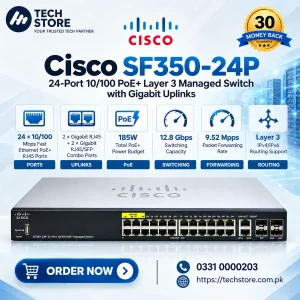
Cisco SF350-24P

  • 24 × 10/100 Mbps Fast Ethernet PoE+ RJ45 Ports
  • 185W Total PoE+ Power Budget
Renewed

Original price was: ₨ 69,000.Current price is: ₨ 49,000.-29%

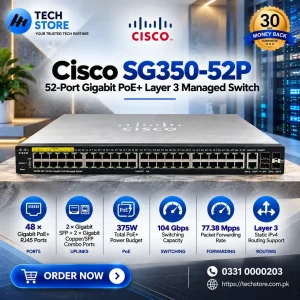
Cisco SG350-52P

  • 48 × 10/100/1000 Mbps Gigabit PoE+ RJ45 Ports
  • 375W Total PoE+ Power Budget
Pre-Owned

Original price was: ₨ 55,000.Current price is: ₨ 25,000.-55%

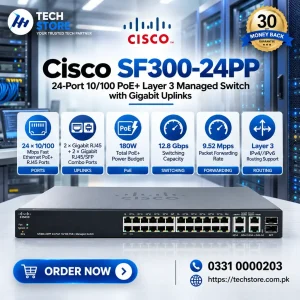
Cisco SF300-24PP

  • 24 × 10/100 Mbps Fast Ethernet PoE+ RJ45 Ports
  • 180W Total PoE+ Power Budget
Renewed

Original price was: ₨ 98,000.Current price is: ₨ 74,000.-24%

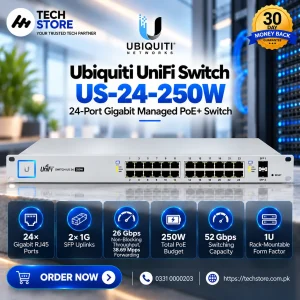
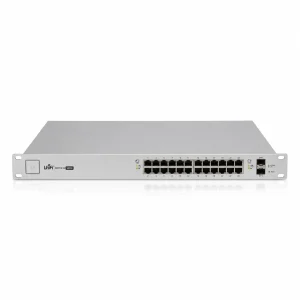
Ubiquiti UniFi Switch US-24-250W

  • 24 × 10/100/1000 Mbps Gigabit RJ45
  • 802.3af/at PoE+ + 24V Passive PoE
Renewed

Original price was: ₨ 152,000.Current price is: ₨ 102,000.-33%

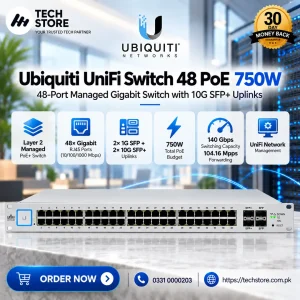
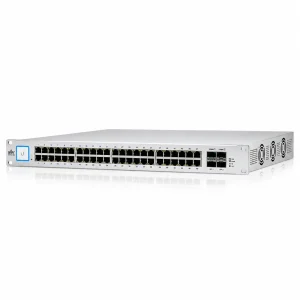
Ubiquiti UniFi US-48-750W

  • 2× 1G SFP + 2× 10G/1G SFP+
  • PoE
Renewed

Original price was: ₨ 140,000.Current price is: ₨ 80,000.-43%

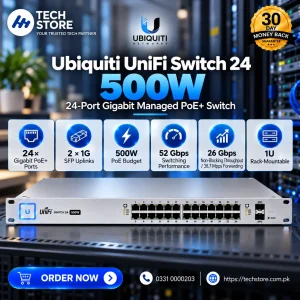
Ubiquiti UniFi Switch 24 500W (US-24-500W)

  • 24 × 10/100/1000 Mbps Gigabit RJ45 PoE+
  • 2 × 1G SFP
Pre-Owned

Original price was: ₨ 8,500.Current price is: ₨ 7,800.-8%

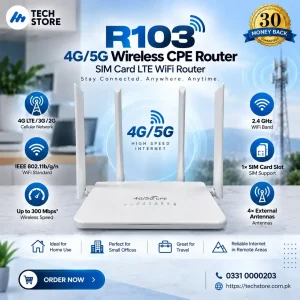
R103 4G LTE Wireless CPE

  • IEEE 802.11b/g/n
  • Up to 300 Mbps*
Pre-Owned

Original price was: ₨ 4,500.Current price is: ₨ 2,500.-44%

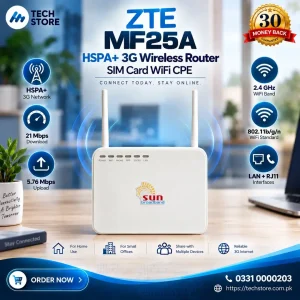
ZTE MF25A

  • IEEE 802.11b/g/n
Pre-Owned

Original price was: ₨ 12,500.Current price is: ₨ 7,500.-40%

DrayTek VigorAP 902

  • IEEE 802.11a/b/g/n/ac
  • Up to 1200 Mbps — 300 Mbps + 867 Mbps
Renewed

Original price was: ₨ 120,000.Current price is: ₨ 65,000.-46%

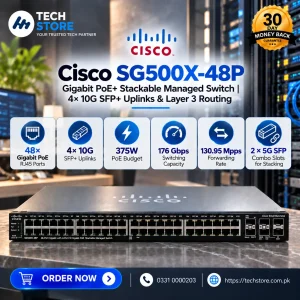
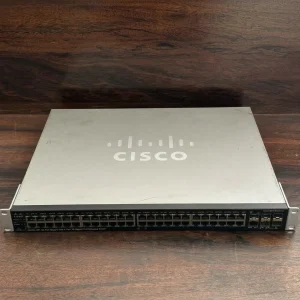
Cisco SG500X-48P Stackable

  • 48 × 10/100/1000 Mbps Gigabit PoE+ RJ45 Ports
  • 375W Total PoE Power Budget
Renewed

Original price was: ₨ 180,000.Current price is: ₨ 120,000.-33%

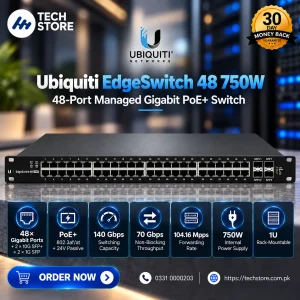
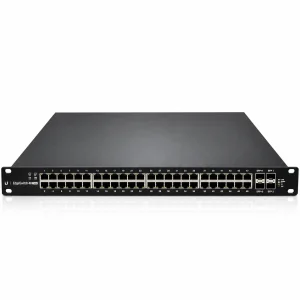
Ubiquiti EdgeSwitch 48 750W

  • 48 × 10/100/1000 Mbps RJ45 + 2 × 1/10G SFP+ + 2…
  • 802.3af/at PoE+ + 24V Passive PoE
Renewed

Original price was: ₨ 40,000.Current price is: ₨ 22,000.-45%

Renewed

Original price was: ₨ 65,000.Current price is: ₨ 36,000.-45%

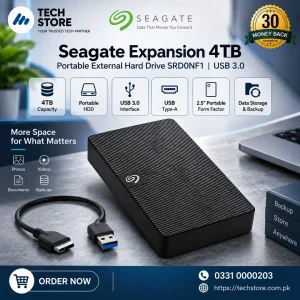
Seagate SRD0NF1

  • 4TB
  • USB 3.0
Brand New

Original price was: ₨ 6,500.Current price is: ₨ 3,500.-46%